WinCDEmu

WinCDEmu

WinCDEmu is an open-source CD/DVD/BD emulator – a tool that allows you to mount optical disc images by simply clicking on them in Windows Explorer. If you have downloaded an ISO image and want to use it without burning it to a blank disc, WinCDEmu is the easiest way to do it.

Features

  • One-click mounting of ISO, CUE, NRG, MDS/MDF, CCD, IMG images.

  • Supports unlimited amount of virtual drives.

  • Runs on 32-bit and 64-bit Windows versions from XP to Windows 10.

  • Allows creating ISO images through a context menu in Explorer.

  • Small installer size – less than 2MB!

  • Does not require rebooting after installation.

  • A special portable version is available.

  • Translated to more than 20 languages.

  • Does not occupy drive letters when not used.

  • Supports data, DVD-video and BD-video images.


WinCDEmu is free for any kind of use – it is licensed under LGPL

Translations

WinCDEmu supports various UI languages through the LNG files maintained by the community. You can download the latest language files or submit your own translation in the Online Translation System.


The AMD Vega GPU Architecture Teaser: Higher IPC, Tiling, & More, Coming in H1’2017

The AMD Vega GPU Architecture Teaser: Higher IPC, Tiling, & More, Coming in H1’2017

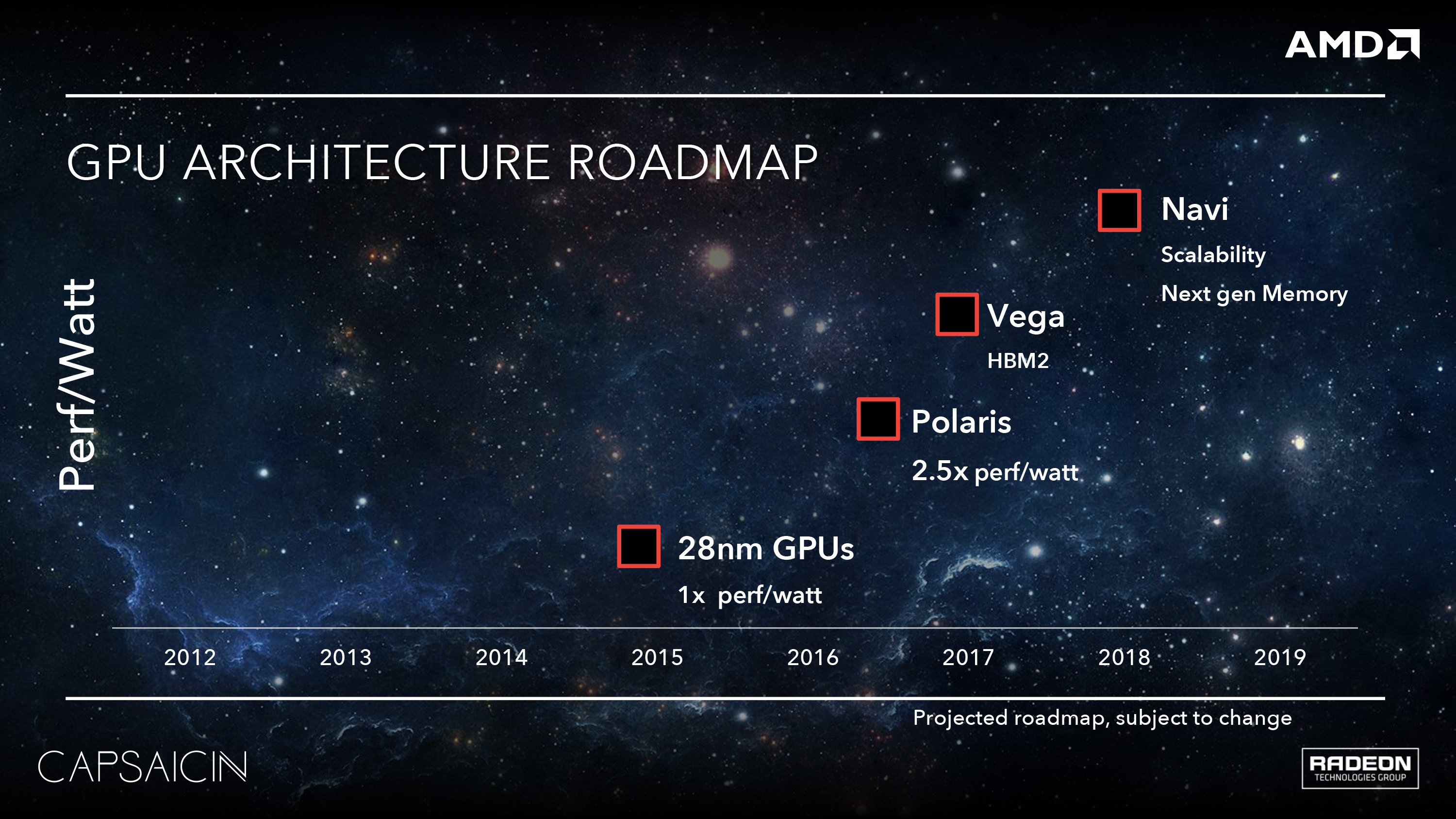
As AMD was in the process of ramping up for the Polaris launch last year, one of the unexpected but much appreciated measures they took was to release a bare-bones GPU architecture roadmap for the next few years. AMD has traditionally held their cards very close to their proverbial chest on what they’re working on next, typically only announcing a new architecture weeks before it’s set to launch in retail products. Polaris itself was a departure from that, as it was announced a good 5 months in advance, but last year’s roadmap was the first honest-to-goodness look we’ve had at AMD’s long-term plans in a long time.
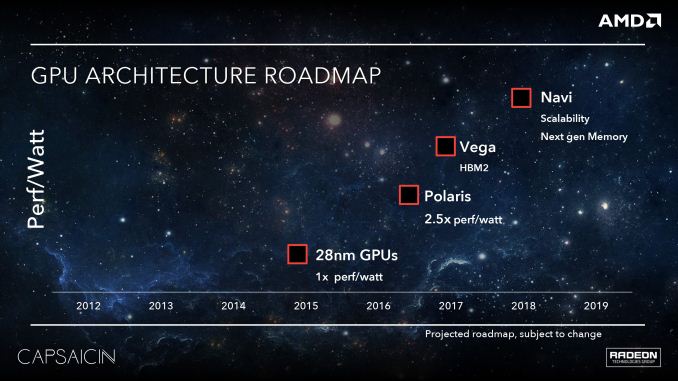
What did that map show us? After 2016’s Polaris would come Vega, and after that would be Navi. As a high-level roadmap it didn’t show us much – in fact other than a timeframe, the only detail attached to Vega was “HBM2”  – but it was enough to help understand one of the things AMD would be doing architecturally to set Vega apart from Polaris. As for the timeframe itself, that was ambiguous at best in AMD’s roadmap. But now as we draw closer to the launch of Vega, the picture has become clearer. AMD will be hitting a yearly cadence with Vega. The first chip, which tapped out last year, will be launching in the first half of this year (H1’17).

To that end, with Vega’s launch not too far over the horizon, AMD is ready to start talking about what will be their next GPU architecture. Last year at this time we got our first real glimpse into Polaris and what would become the Radeon RX 480/470/460, and this year AMD is back again with a teaser of things to come with Vega.

Setting The Stage: Expectations Management; Less How & More Why

Before we dive into any architectural details, perhaps it’s best we first set the stage. This goes for both what to expect of today’s announcement, and to better understand what AMD is doing and why.

First and foremost, today’s detail release is a teaser, not a deep dive, or even a preview. AMD is only releasing a few details about Vega, and those are being kept at a high level. In fact it’s fair to say that there’s just enough information to answer little and raise even more questions; just what a proper teaser should be.

Why? Well part of the reason is that we’re still months off from the launch of Vega. I believe it’s fair to say that by announcing a first-half of the year launch date when we’re already in 2017 is a strong indicator that Vega will not launch until later in that window, likely some time in Q2. So we’re still a good three to five months out from the launch of Vega, which means AMD doesn’t want to (or need to) release too many details this far out. Rather they can trickle out chosen details for maximum impact.

At the same time the AMD of 2017 has more they can focus on in the high-performance space than just GPUs. Ryzen launches soon, and they also have other products on the horizon such as the Radeon Instinct accelerators. Polaris received as much detail as it did because it was all AMD really had to talk about, and they needed to recover from a rough 2015 where AMD’s at-the-time power efficiency woes were brought into full focus. But now Vega can share the stage with Ryzen and other products, and that lets AMD be more selective about what they say.

All of which is something I would argue is a good thing. At the end of the day Polaris was an optimized version of the GCN 1.2 (aka GCN 3) architecture for GlobalFoundries’ 14nm FinFET process. The resulting GPUs were solid competitors in the mainstream and value markets, improving on AMD’s power efficiency in a way they badly needed. But they weren’t high-end parts; they didn’t excite like those parts did, and for technology enthusiasts they didn’t significantly change the architecture itself (in fact GCN 4 was ISA compatible with GCN 3, something that doesn’t happen a lot in the GPU space). AMD talked big about Polaris – perhaps too big – and I do think it hurt them in some circles once it became clearer that this was AMD catching up. Which is not to say that AMD’s marketing arm won’t talk big about Vega as well, but they need not ride the technology angle so hard. Vega is a launch that can be more natural and more subdued, especially as at this point we know AMD is aiming big with a much-needed new generation of high-end parts.
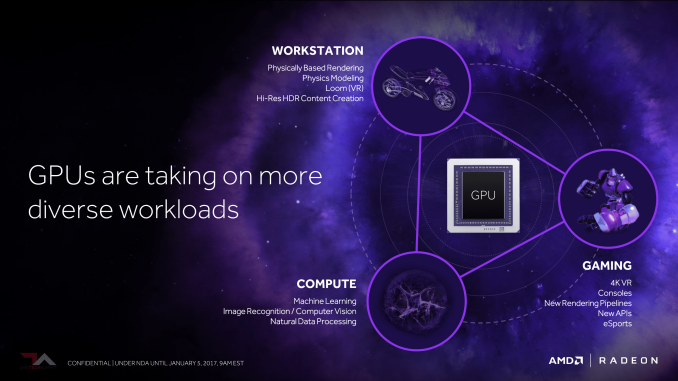
In any case, as AMD isn’t riding the technology angle quite as hard in this year’s teaser, they are spending a bit more time explaining the market and some of the logic behind Vega’s design. For its teasing debut, Vega is little less discussion of “how,” and a little more conversation of “why”.

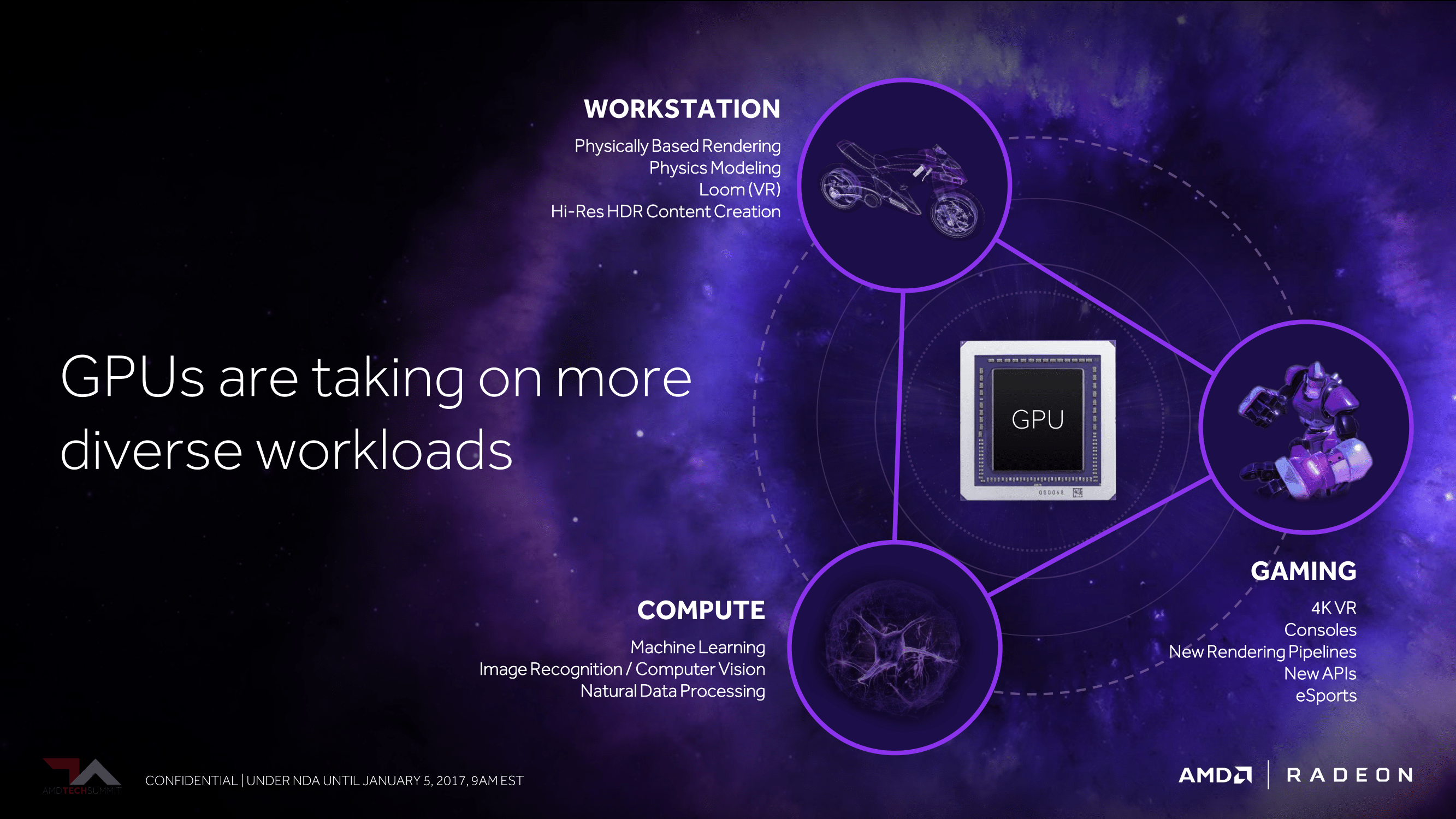
So what is AMD looking to do with Vega? Besides aiming for the high-end of the market, AMD is looking at how the market for GPUs has changed in the last half-decade, and what they need to do to address it. Machine learning is one part of that, being a market that has practically sprung up overnight to become a big source of revenue for GPUs. This is where the previously announced Radeon Instinct will fit in.
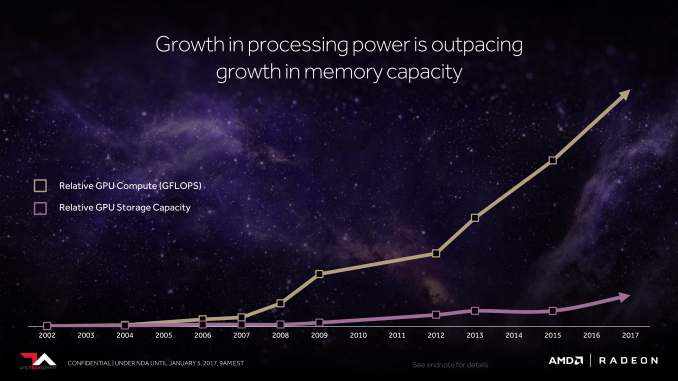
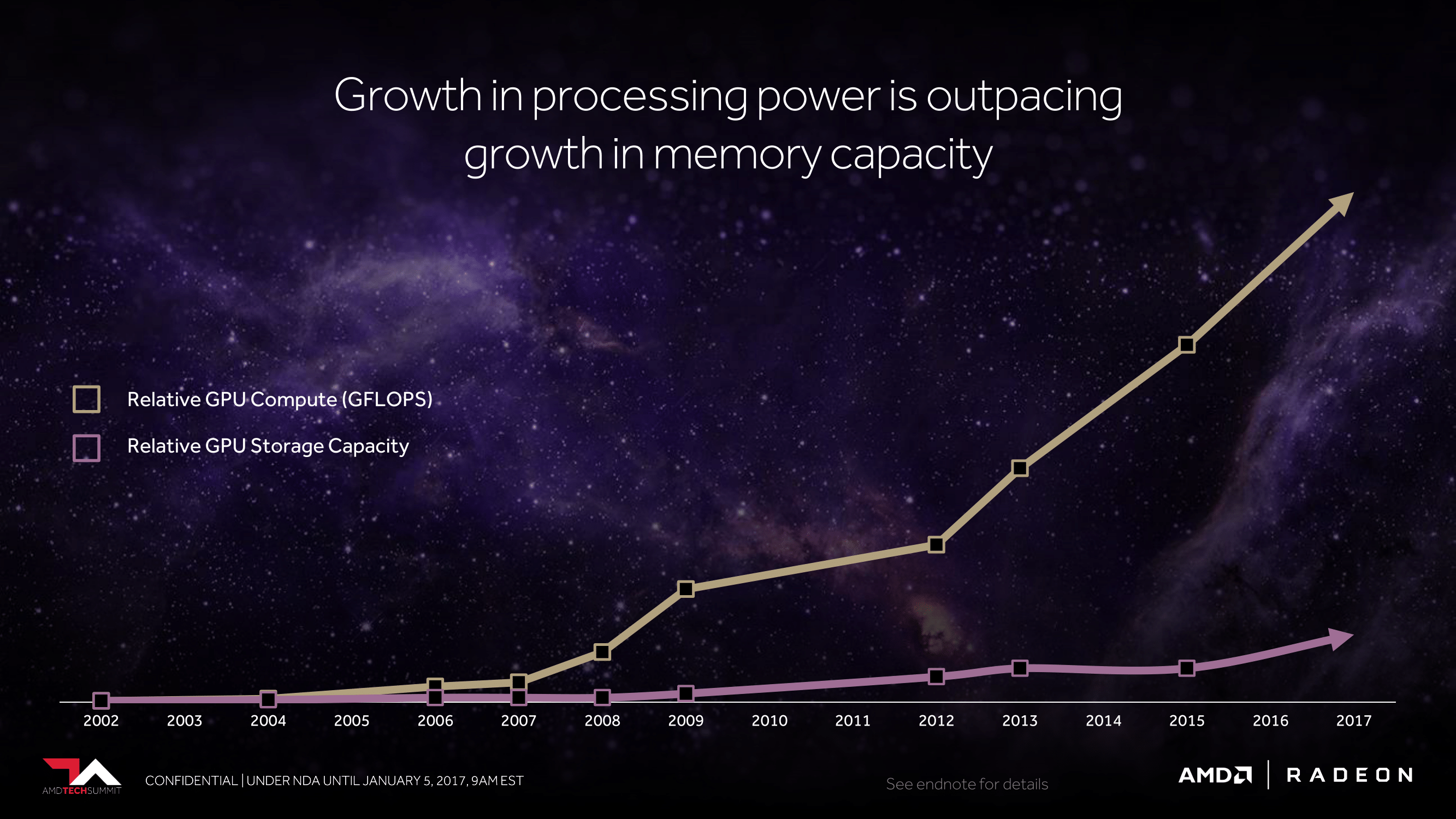
But more than that, it’s about fundamental shifts in how workloads are structured. GPU performance growth has far outpaced GPU memory capacity. Scene geometry complexity has continued to grow. Newer rendering methods have significantly changed GPU memory access patterns.

To that end, AMD is looking to address all of these factors with Vega. Which is not to say that this is everything – this is a teaser, after all – but this is where AMD is starting. Where they are going to be with their next generation architecture and how they believe it will address the changes in the market. So without further ado, let’s take a teasing look at what the future has in store for AMD’s GPUs.


Software system labels coral reef images in record time

Software system labels coral reef images in record time

Software system labels coral reef images in record time
CoralNet works 10 to 100 times faster than processing image data by hand. Credit: University of California – San Diego

Computer scientists at the University of California San Diego have released a new version of a software system that processes images from the world’s coral reefs anywhere between 10 to 100 times faster than processing the data by hand.

This is possible because the new version of the system, dubbed CoralNet Beta, includes deep learning technology, which uses vast networks of artificial neurons to learn to interpret image content and to process data.

CoralNet Beta cuts down the time needed to go through a typical 1200-image diver survey of the ocean’s floor from 10 weeks to just one week—with the same amount of accuracy. Coral ecologists and government organizations, such as the National Oceanographic and Atmospheric Administration, also use CoralNet to automatically process from . The system allows researchers to label different types of coral and whether they’ve been bleached, different types of invertebrates, different types of algae—and more. In all, over 2200 labels are available on the site.

“This will allow researchers to better understand the changes and degradation happening in ,” said David Kriegman, a computer science professor at the Jacobs School of Engineering at UC San Diego and one of the project’s advisers.

Software system labels coral reef images in record time
A screen shot of the random point annotation tool. Random point locations are overlaid on the image and each one is identified according to what substrate is under each point. In this image, the automated system suggests points that should …more

The Beta version of the system runs on a with more than 147 million neural connections. “We expect users to see a very significant improvement in automated annotation performance compared to the previous version, allowing more images to be annotated quicker—meaning more time for field deployment and higher-level data analysis,” said Oscar Beijbom, a UC San Diego Ph.D. alumnus and the project’s manager and founder of CoralNet.

He created CoralNet Alpha in 2012 to help label images gathered by oceanographers around the world. Since then, more than 500 users, from research groups, to nonprofits, to government organizations, have uploaded more than 350,000 survey images to the system. Researchers used CoralNet Alpha to label more than five million data points across these images using a tool to label random points within an image designed by UC San Diego alumnus Stephen Chen, the project’s lead developer.

“Over time, news of the site spread by word of mouth, and suddenly it was used all over the world,” said Beijbom.

Other updates in the Beta version include an improved user interface, web security and scalable hosting at Amazon Web Services.

Software system labels coral reef images in record time

Read more at: https://phys.org/news/2017-01-software-coral-reef-images.html#jCp

Chrome is getting the ability to play FLAC

Audiophiles are getting a new way to listen to one of the top formats for lossless music. As spotted by 9to5Google, Google has begun adding FLAC support to Chrome, and it should be rolling out to the masses very soon.

FLAC support is already live in Chrome’s beta build, and 9to5Google says it’s live in the current version of Chrome OS, too. If you have local FLAC files or come across one on the web, the added support allows Chrome to open it up in a completely bare-bones music player that takes over the entire tab.

It’s not exactly elegant, but it works. And it means that Mac users with Chrome installed will have an easy way to play back FLAC files should they come across one. While there are plenty of apps that can handle FLAC — VLC being a popular one — no native macOS app is capable of it. Windows 10, on the other hand, includes native support.

That all said, it’s not like this is going to open the floodgates to FLAC becoming a widely beloved format. FLAC files are extremely large (I’m currently looking at a nearly six-minute song with a file size of 43MB) and generally provide sound quality benefits only detectable to a seasoned audiophile listening with high-quality gear. It’s great to have the option to listen to FLAC, but for most of us, a 320kbps Spotify stream will do just fine.

The Das Keyboard ‘Prime 13’ & ‘4 Professional’ Mechanical Keyboard Review

The Das Keyboard ‘Prime 13’ & ‘4 Professional’ Mechanical Keyboard Review

Mechanical keyboards have been in the spotlight over the past few years, with the market growing exponentially and dozens of companies designing and promoting myriads of new products. The technology itself is definitely not new, with the first mechanical keyboards coming out over three decades ago, but they quickly faded away after the introduction of electronic/membrane keyboards that were selling for a fraction of the price. Today, mechanical keyboards are high up on the list of extra peripherals that enthuaists are interested in purchasing for their PC systems.

Introduction

As manufacturing costs came down, mechanical keyboards started finding their way into the consumer market about a decade ago. While still much more expensive than typical membrane keyboards, their market prices were becoming relatively affordable for people that were willing to pay the premium price for a better user experience. At that time, the market was very limited and only a few companies dared to tread towards it, let alone base their foundations on it.

In this review we are taking a look at two mechanical keyboards from Das Keyboard, the renowned US-based designer of mechanical keyboards. While their first keyboard was not a mechanical keyboard, every keyboard after that first one was, and nowadays the whole brand name is essentially bound with the design and marketing of quality mechanical keyboards. The company has supplied us with both their highly popular Das Keyboard 4 Professional and their newest Das Keyboard Prime 13, which are of similar design but are targeted at different target groups.

Packaging and Bundle

Das Keyboard 4 Professional

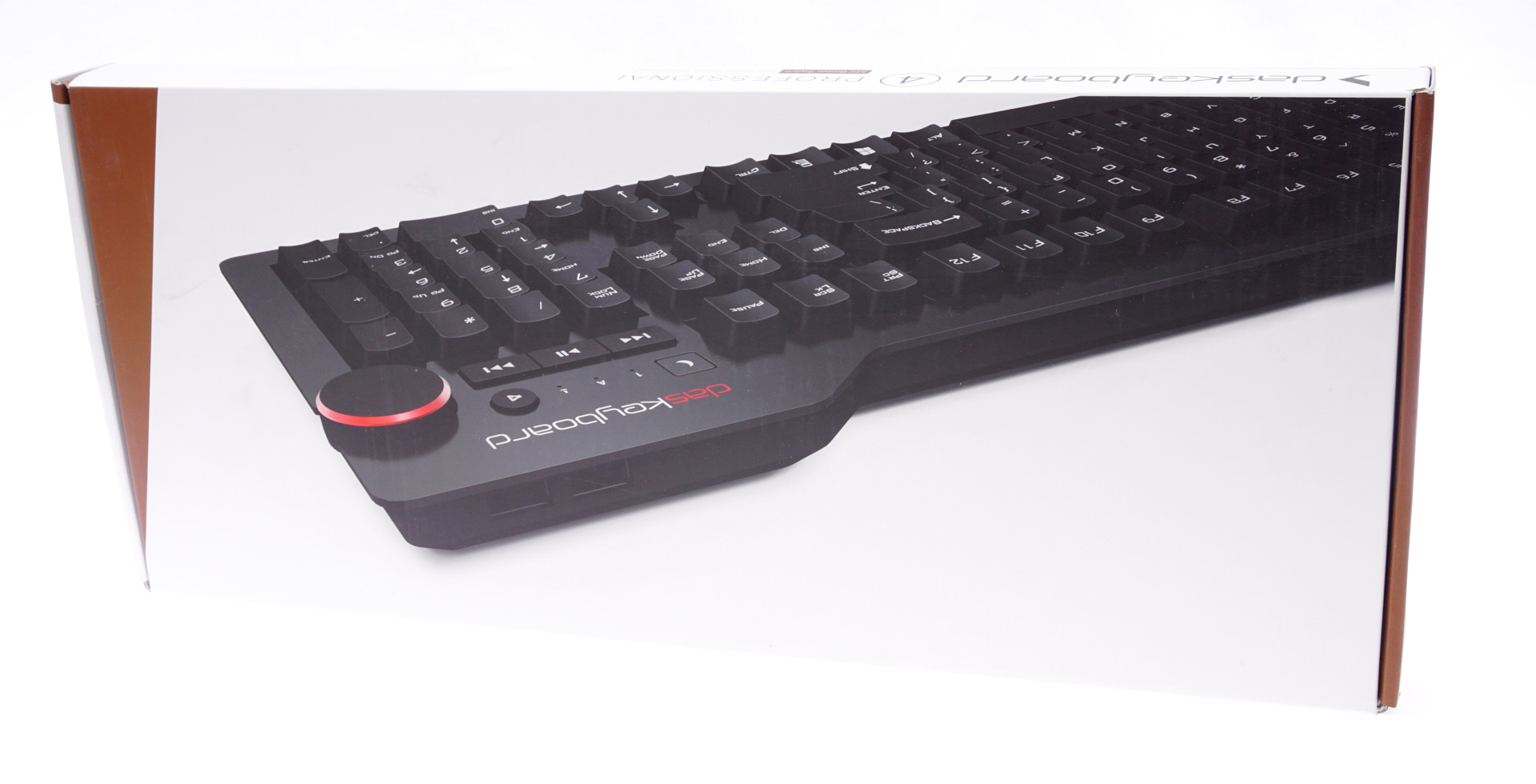
We received the Das Keyboard 4 Professional in a wide, yet thin white cardboard box. The box itself is of good quality and, with the combination of additional cardboard packaging and polyethylene foam pieces inside it, it is offering excellent shipping protection to the keyboard.

We found no bundle inside the box of the Das Keyboard 4 Professional. Considering that it is a product targeted towards professionals, the company rightfully does not expect them to worry about fancy items such as stickers. A keycap puller would be nice, if only for cleaning purposes. On the other hand, inside the box we found a 35 cm ruler, which doubles as a magnetic tilt stand for the keyboard. Although the presence of a ruler is not a breakthrough innovation, it certainly was rather creative for the designer to replace the keyboard’s simple tilt mechanism with an item that can actually be of some use one day in the office.

Das Keyboard Prime 13

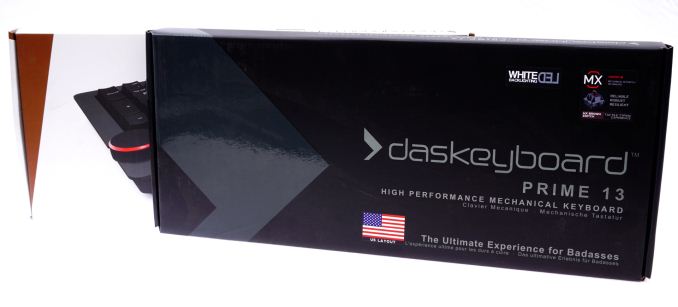
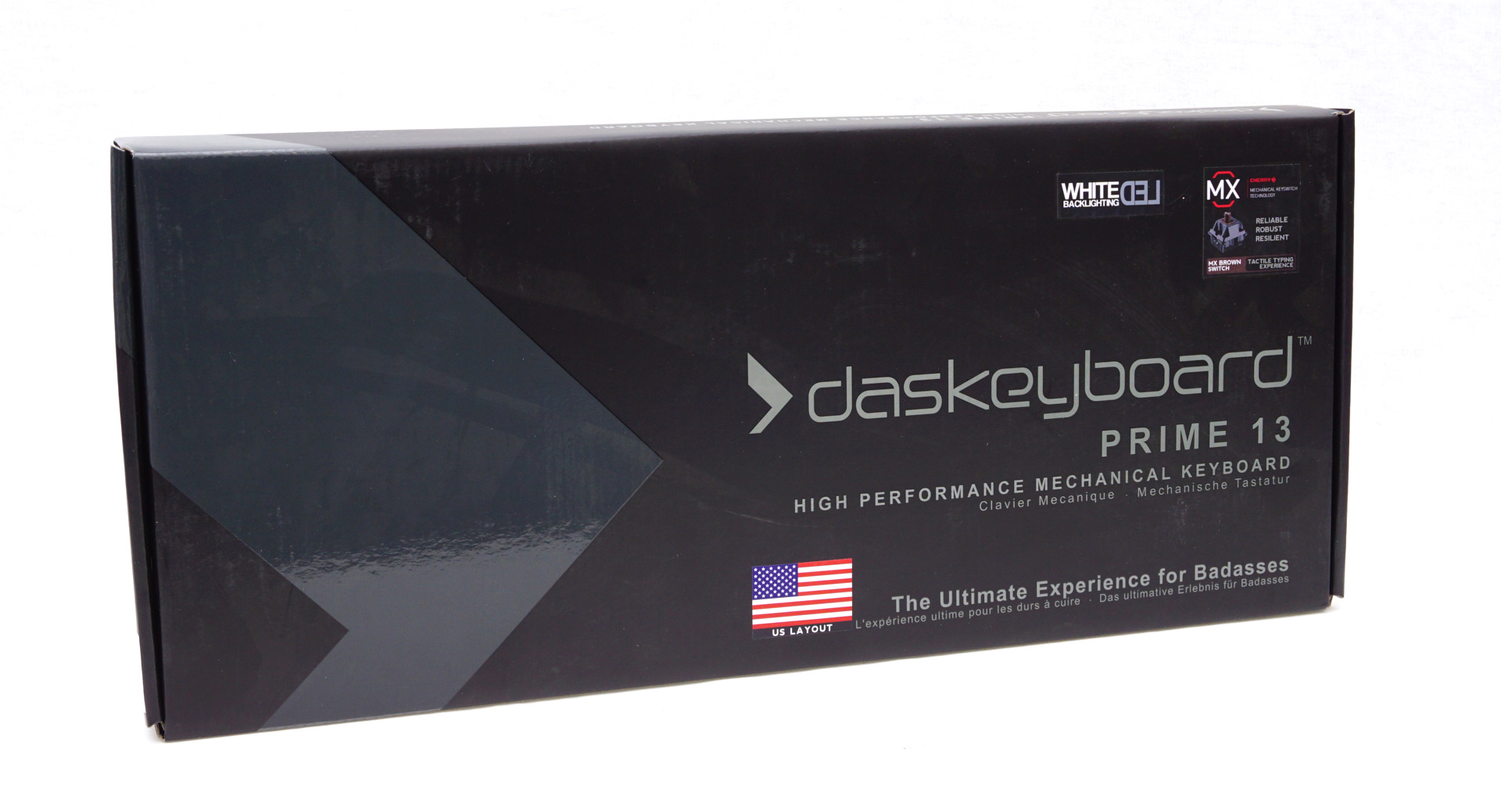
The box of the Das Keyboard Prime 13 is of equal size to that of the Das Keyboard 4 Professional, offering the same level of shipping security. The artwork and the aggressive phrasing however clearly hint that this keyboard has an somewhat different market focus.

Inside the box we found a quick start guide with very basic information about the keyboard and a keycap puller. There is no ruler here, the Prime 13 is a standard design with feet for tilt.

Pin It on Pinterest