Adobe just released a concept video depicting an iPad user making simple edits to his photos by issuing voice commands. Hit the play button above to check it out.
The tech shown in the clip isn’t particularly exciting, as it seems like you could probably achieve the same result much faster using the touchscreen.
Plus, the voice-based system would either have to be sophisticated enough to understand a wide range of commands and synonymous ones, or you’d have to learn the exact terms to use for each function. It’s simpler to just pick tools and settings by looking at buttons that have icons showing what they do.
Adobe noted that this is merely “a first step towards a robust multimodal voice-based interface which allows our creative customers to search and edit images in an easy and engaging way” on mobile – but it hasn’t confirmed whether it actually plans to build this out in 2017.
Perhaps this would work for the most basic editing tasks, but beyond that, it doesn’t seem very useful for any sort of fine-grained control over your images. I can’t imagine adjusting tones and levels, applying effects like grain and cropping out unwanted elements accurately without getting my hands dirty.
The best free alternative to Microsoft Word, with a smart interface, full Word compatibility, cloud backup, and free mobile apps
WPS Office Writer‘s slick design is very similar to the current version of Microsoft Word, with a ribbon interface and almost identical icons. If you like using Office 2007 or later, the move to WPS Writer will be pretty much seamless.
There’s tabbed browsing for multiple documents (a feature not found in Word, but one we love), and WPS Office Writer can open pretty much any text document format you can throw at it. It has its own proprietary file format (WPS), but new documents default to Microsoft’s DOCX format for convenient sharing with Word users.
WPS Writer includes built-in cloud support with 1GB free storage (comparable to Microsoft OneDrive) for easy backup and syncing. There are also free mobile apps for Android and iOS that are fully compatible with Microsoft file formats, and let you edit and sync documents on the move.
WPS Office Writer comes with a good range of templates pre-installed, with more available to download.
Unlike LibreOffice and OpenOffice, WPS Office isn’t open source. Instead, it’s supported by ads, but these are unintrusive and won’t stop you getting on with some serious work. There’s a premium version of WPS Office that removes the ads and throws in bonus PDF tools, but the free edition is superb. Give it a try – we think you’ll be impressed.
The best open source Microsoft Word alternative, with a buzzing developer community and regular updates to add features and squish bugs
If you feel most comfortable using the older, pre-ribbon versions of Microsoft Word, you’ll love LibreOffice Writer. Its interface is very similar to Word prior to the controversial introduction of the Ribbon in 2007, so if you’re familiar with the older interface, you’ll be up and running in seconds.
It’ll take a little longer if you’re only used to newer versions of Microsoft Office, but the menus and icons are simple and intuitive, so don’t be put off.
LibreOffice Writer is fully compatible with Microsoft Word documents (including DOC and DOCX) as well as other common text file formats, so you’ll have no trouble sharing files with friends or colleagues using different software, or opening your old files.
Writer also integrates seamlessly with the other tools in the LibreOffice suite, so you can easily import a spreadsheet from Calc, or a graph from Charts – just like you could in Word.
What sets LibreOffice Writer apart from other free Microsoft Word alternatives is its lively community of users and developers, who have created hundreds of free plugins and templates for you to download and use. LibreOffice itself receives regular updates too, adding features and security that help it keep pace with Microsoft Word.
The only thing lacking is integrated cloud support, but you can easily sync your files using Dropbox or OneDrive, so this is a minor drawback.
Another open source Word alternative. Not quite as fresh as LibreOffice, but still an excellent option
LibreOffice is a fork of Apache OpenOffice and the two share the same code base, so it’s no surprise that there’s little to choose between the two. Both offer excellent compatibility with Microsoft Word documents, and work seamlessly with their linked spreadsheet, database, and presentation applications.
There’s almost no difference between the programs’ features or interfaces, either – both use a classic Microsoft Office style system, with a handy sidebar for formatting options.
The main difference is that OpenOffice only receives one or two updates a year, whereas LibreOffice is updated every couple of months thanks to its larger team of volunteer developers. This means that reported bugs and vulnerabilities are likely to be fixed sooner in LibreOffice, and new features are added sooner.
TextMaker is very good, but would be superb if it could save documents in DOCX format
SoftMaker FreeOffice TextMaker‘s interface is less cluttered than most free Microsoft Word alternatives, but it doesn’t skimp on tools and settings. Some features are tucked away in sub-menus, but you can customize the toolbars by adding, removing and rearranging the icons (you can find more by clicking the small arrow buttons on the right).
All the essentials are there, and FreeOffice TextMaker makes it particularly easy to create interactive documents with fields and bookmarks, which you can then save as PDFs. The selection of templates isn’t huge, but they look good and will satisfy most of your needs.
The drawback of TextMaker is its inability to save your work in Microsoft’s DOCX format. This is a shame, because this newer format has several advantages over DOC, including more consistent appearance in different word processing programs and superior file compression.
You can open files in DOCX format using FreeOffice TextMaker, so you won’t be locked out of your existing documents, but if your friends and family use Word, you might prefer one of the alternatives listed above.
AbiWord replaces Microsoft Word’s key features, but its developers have chosen to focus on Linux rather than Windows
AbiWord is the most pared-back of the options here, but could easily replace Microsoft Word for your everyday writing and editing if you don’t rely on Word’s advanced features.
It’s an open source project, and is much less demanding than the other Microsoft Word alternatives here, making it great for low-powered notebooks.
AbiWord has excellent format support, including DOC and DOCX, making it a good choice for document-sharing. There’s a basic selection of templates (or you can create your own from a document), and a collection of plugins to extend its file compatibility.
It’s an excellent text editor, but sadly AbiWord has a shortage of volunteer Windows developers. This means that although the Linux version is in active development, the Windows edition hasn’t been updated for quite some time, and lags behind by several versions.
At the time of its original release, AbiWord’s standout features was AbiCollab, which lets multiple users work on the same document simultaneously, with automatic syncing – a feature that has been superseded by Google Docs.
The basics of word processing haven’t changed much, but if you’re looking for a future-proof alternative to Microsoft Word, we think you’d be better off with WPS Writer or LibreOffice.
Plextor first entered the PCIe SSD market in 2014 with the M6e, based on Marvell’s 88SS9183 controller supporting PCIe 2.0 x2 but not NVMe. In 2015 they followed it up with the M6e Black Edition that simply provided an adapter card and heatsink for an unchanged M.2 module. They also announced then delayed and eventually cancelled the M7e, which was to use the Marvell 88SS9283 to support PCIe 2.0 x4 connectivity. This year, the M8Pe finally brings a true high-end NVMe SSD to Plextor’s product line.
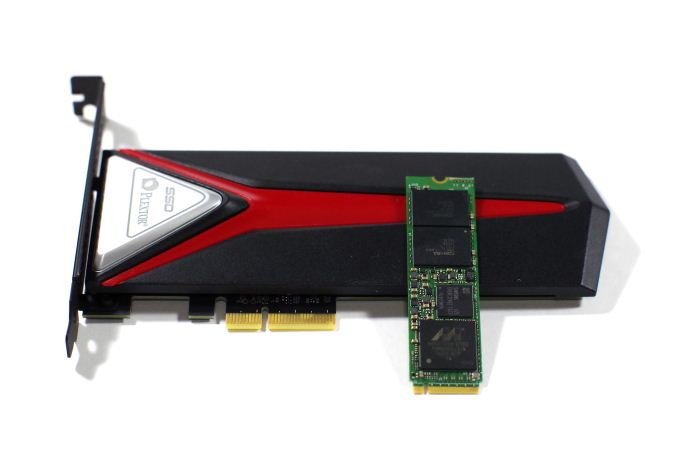
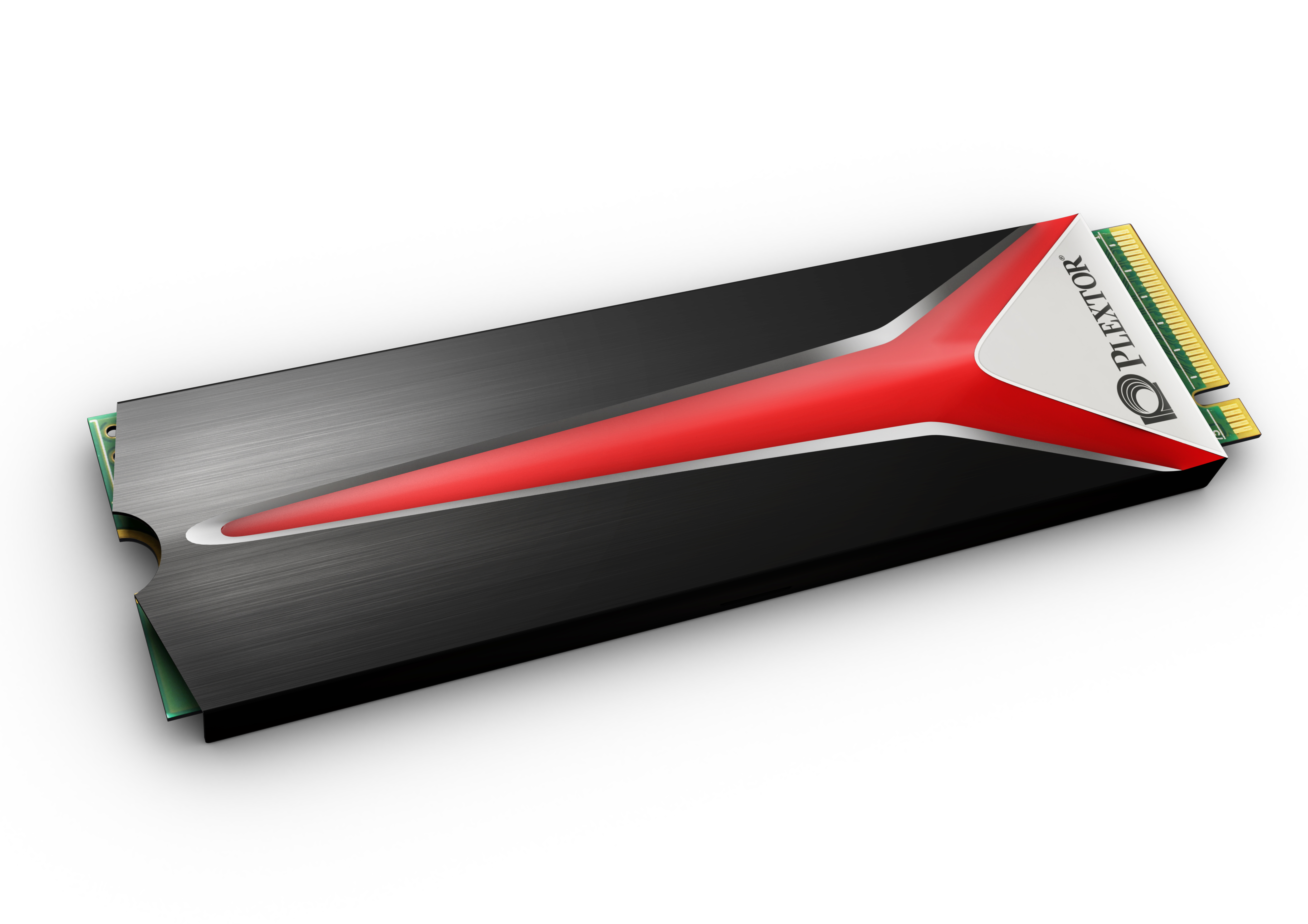
The M8Pe series is available in three different variants, all based on the same M.2 module. The M8PeGN is the simple bare M.2 2280 card. The M8PeG adds a heatspreader that covers the top and sides of the M.2 module. This heatspreader should help alleviate the thermal throttling that all PCIe M.2 SSDs suffer from during sustained heavy benchmarking, but the added thickness will prevent it from fitting in some laptops. Finally, the M8PeY is a half-height half-length PCIe x4 add-in card adapter to house the M.2 SSD under a hefty slab of metal acting as a heatsink, and red LED accent lighting is included along the top edge of the card and under the Plextor Logo on the heatsink.
Plextor M8PeG with heatspreader
The Plextor M8Pe series shares its hardware platform with parent company Lite-On’s CX2 client SSD for the OEM market. The controller is Marvell’s 88SS1093 PCIe 3.0 NVMe controller codenamed “Eldora”, with 8 NAND channels and support for NVMe 1.1 and LDPC error correction. The controller is a triple core design fabricated on a 28nm process. The 88SS1093 was one of the first PCIe 3.0 NVMe SSD controllers available on the open market, and it was quickly adopted for entry-level enterprise PCIe SSDs by companies like Seagate and Micron. The Plextor M8Pe is the first consumer SSD to ship with this controller. As usual, Plextor/Lite-On wrote their own firmware for use with the Marvell controller instead of adopting a reference implementation.
We use cookies to ensure that we give you the best experience on our website. If you continue to use this site we will assume that you are happy with it.