by james paslis | Jan 23, 2017 | PC, Uncategorized
A fast, smart and powerful BitTorrent client
With many torrent clients out there, it’s hard to stand out and offer something drastically different compared to the established names of uTorrent and BitTorrent. That’s exactly what Vuze has achieved, though
Why you need it
First off, Vuze handles all torrents in the quick manner that you’d expect from any torrent client and, yes, like most of its peers you will have to negotiate an installation process that involves dodging potentially unwanted programs by reading each step carefully and unchecking the relevant boxes. That aside, it’s plain sailing.
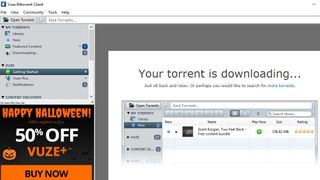
Downloading torrents with Vuze is incredibly simple. Its brilliant meta search function trawls the web to find you the best downloads, saving you time and effort. You can subscribe to feeds too, ensuring you always have the latest content.
Vuze also features optimization tools for faster, more reliable downloads. It can download multiple torrents at once, prioritize downloads using an easy drag-and-drop interface, and find multiple sources for the same download to boost speed.
There’s also a remote control app for Android, an HD video player, and a built-in converter to save videos and music in a format suitable for any device.
Download here: Vuze
by james paslis | Jan 20, 2017 | PC, Uncategorized
Lost or deleted an important file? These five free file recovery tools could help you get it back
The best free file recovery software
File recovery can be an expensive business, which is why it’s no substitute for backing up your key documents, photos and other data on a regular basis. But that’s of little comfort to anyone – even those with good backup regimens – who suddenly find themselves confronted by the stomach-churning feeling of data loss.
Whether it’s a virus infection, a hardware failure, or just human error, it’s all too easy to lose vital files. As soon as you’ve become aware of data loss, it’s critical you stop using the drive affected immediately. Whether the drive itself is failing or you’ve simply deleted a file accidentally, this is the golden moment when you may be able to get your data back before it’s gone for good.
We’ve cherry-picked five of the best free data recovery tools in the business. Just pick the one closest to your requirements and with a bit of luck (and no small measure of help from the app involved), you could yet save your files.
1. Recuva
With a simple wizard and advanced recovery scans, Recuva is the tool you need in an emergency
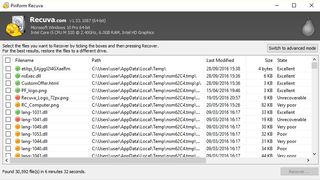
Recuva makes things as easy and stress-free as possible. It opens by default to a file recovery wizard, which advanced users can subsequently skip: from here, choose the type of file you’re trying to recover (picture, documents, compressed, emails and all files are among those on offer) and it’ll focus its search accordingly.
You can target your search to a specific location or search all your drives, and you can opt to choose a quick or deep scan. The latter takes much longer, but flushes out more results. Then click ‘Start’ and wait for the scan to complete.
Once done, your results are presented, with each recovered file given a rating depending on its condition. You can recover files direct from here or switch to Advanced Mode for a frankly better view, offering file preview, information and a peek at the file’s header.
Download here: Recuva
by james paslis | Jan 19, 2017 | PC, Uncategorized
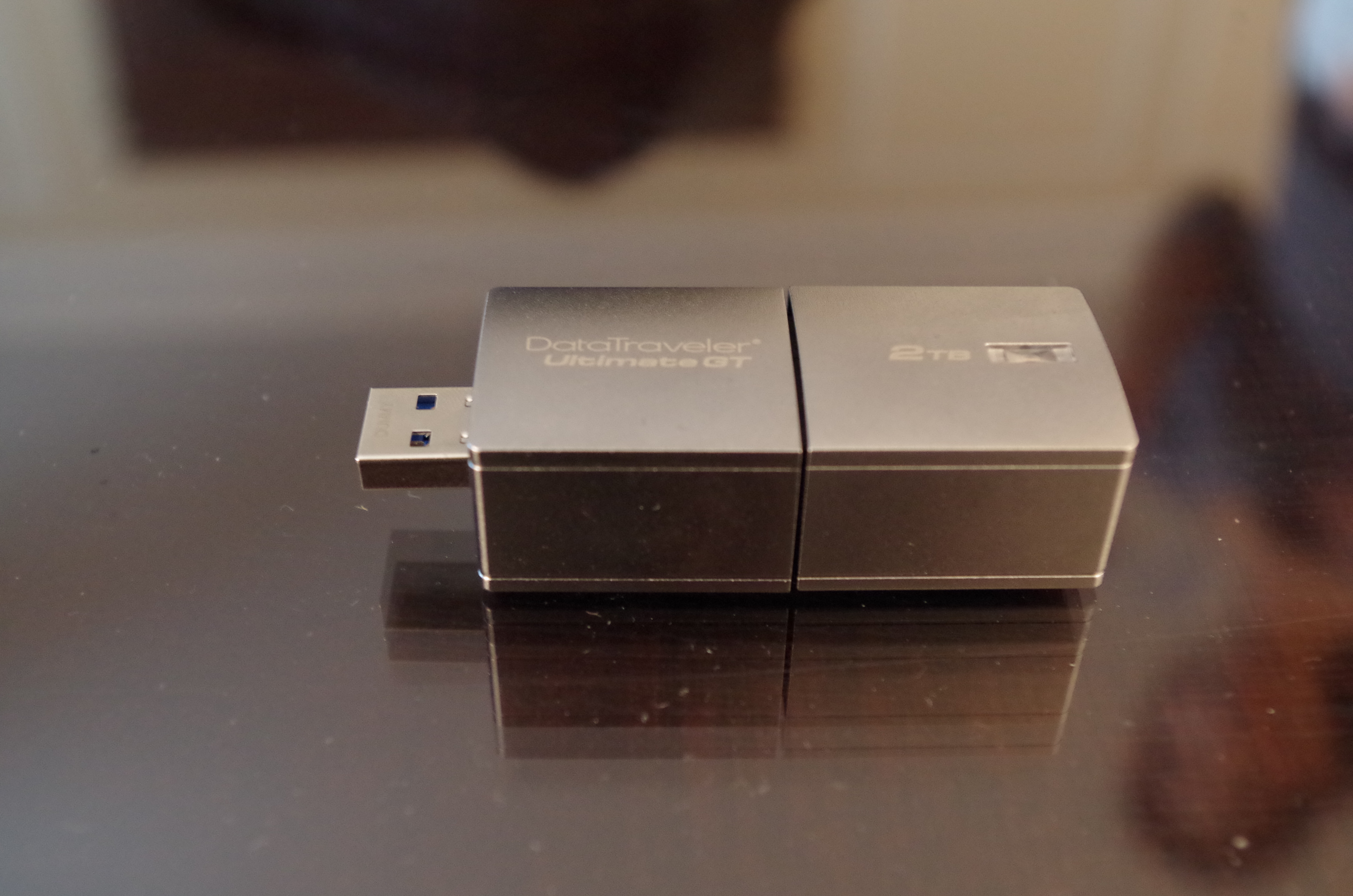
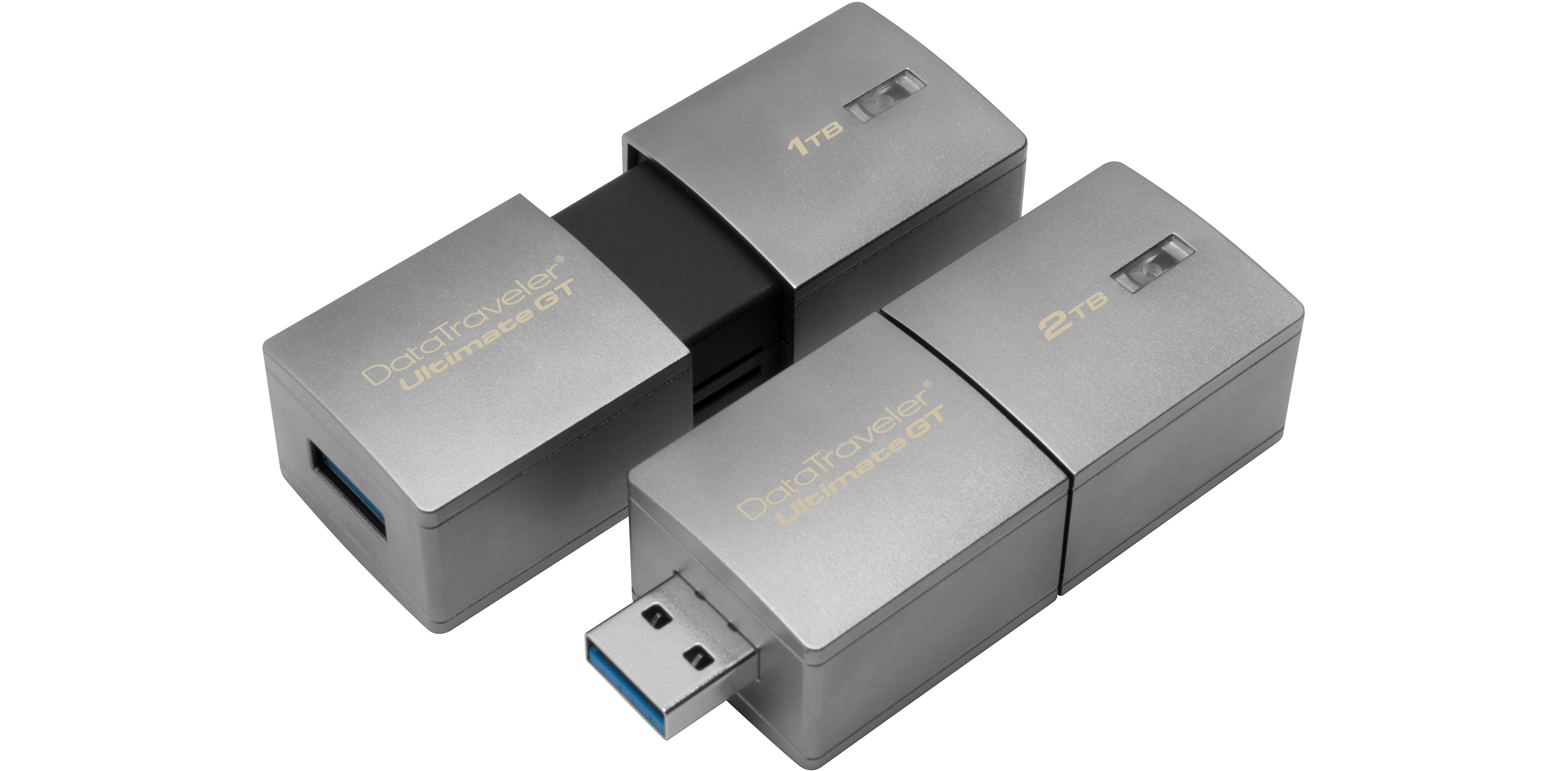
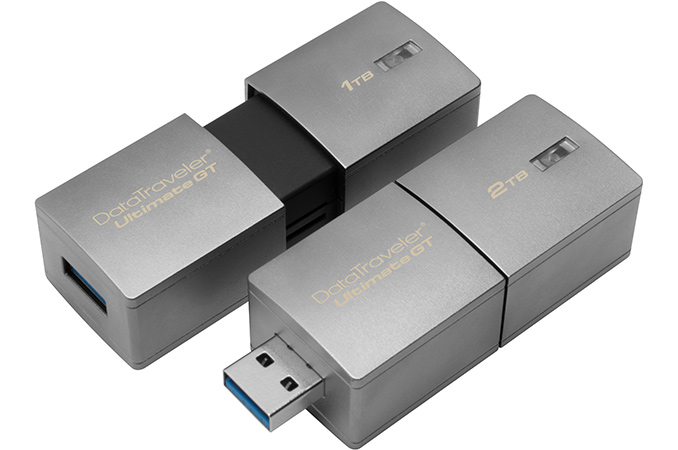
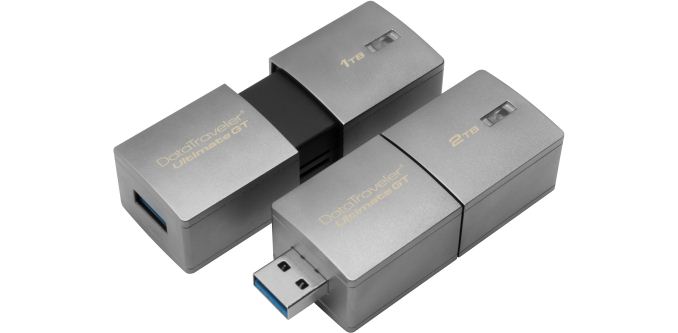
Kingston this week introduced its new DataTraveler Ultimate GT USB flash drive with a re-freshed design and up to 2 TB capacity. The new devices are designed for those who need to store large collections of multimedia files.
The new Kingston DataTraveler Ultimate GT family of flash drives consists of 1 TB and 2 TB models with a USB 3.0 Type-A connector. The drives come in zinc-alloy metal enclosures to protect from physical damage and are relatively compact for their capacities (at least, more compact than external HDDs or SSDs). The new storage devices feature exactly two times higher capacity than their predecessors, the Kingston DataTraveler HyperX Predator 3.0 (512 GB and 1 TB) drives, introduced four years ago at CES 2013. What is unclear is whether they beat their ancestors in terms of performance (up to 240 MB/s read and 160 MB/s write), but keep in mind that the real-world transfer rate of the USB 3.0 interface is around 400 MB/s at best.
| Kingston DataTraveler Ultimate GT Family of Flash Drives |
|
DTUGT/1TB |
DTUGT/2TB |
| Capacity |
1 TB |
2 TB |
| Type of NAND |
Unknown |
| Maximum Transfer Rate |
5 Gbps |
| Dimensions |
72mm × 26.94mm × 21mm |
| Operating Temperature |
-25°C to 60°C |
| Storage Temperature |
-40°C to 85°C |
| Warranty |
Five Years |
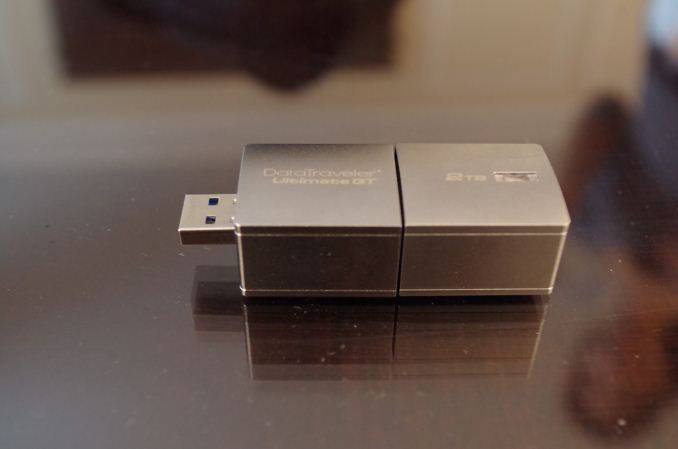
The DataTraveler Ultimate GT USB flash drives will be primarily useful for people who need to carry large amounts of data, but not necessarily edit it. For example, photographers, construction workers or scientists may offload images/videos/documents from their notebooks to such drives just for backup reasons. In fact, keeping in mind that many of such folks may work in harsh environments, the DataTraveler Ultimate GT drives are rated to support extended storage and operating temperature ranges: they can be stored at -40°C and operate at -25°C (-20°C and 0°C for typical USB drives).
Kingston will start to ship the new DataTraveler Ultimate GT USB flash drives in February and the storage devices will be covered with the company’s five-year warranty. The drives will work with any modern Microsoft Windows OS that supports such flash drives (Windows 7 SP1 and later), Apple MacOS (10.9.x and later), Linux (2.6.x and later) as well as Google’s Chrome OS. As for pricing the DataTraveler Ultimate GT USB flash drives are expected to have a price premium given their positioning. For example, the DataTraveler HyperX Predator 1 TB still costs well over $1000 at retailers like Amazon and Newegg.
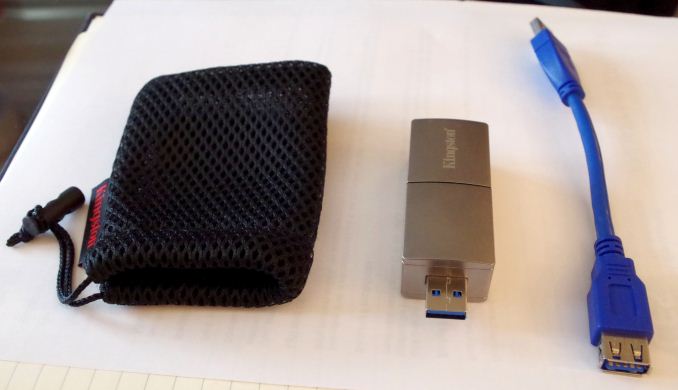
It will also come with a carry pouch and a USB cable to alleviate issues where it interferes with other ports:

by james paslis | Jan 18, 2017 | PC, Uncategorized
idia’s Shield line of devices is now more than six years old, and the latest member of the family is the new Shield TV, an update of Nvidia’s first set-top streaming box from 2015. The 2017 version slims down the console to a remarkably portable rectangle, adds a redesigned controller with a built-in ambient microphone, and includes a more traditional wand-like remote in the box.
The $199 device (or $299 for a larger version with a built-in 500GB hard drive) has big ambitions: Nvidia wants Shield TV to be not only the only streaming TV box you need, but also a gaming console, a smart home device and a personal digital assistant all in one. Yet it’s also virtually unchanged in terms of internal hardware from what Nvidia first released in 2015. Software makes it feel like a completely new device, however – and that’s going to benefit both existing users and those new to the Shield platform.
Android at heart
Under the hood powering Shield’s operating system is Android TV, in perhaps its most successful iteration. The new Shield brings an Android TV 5.0 upgrade, along with Android 7.0 Nougat, which Nvidia has used to improve its own custom navigation interface. There’s a much less confusing games section that groups all content under one broad “Games” category, for instance, which replaces the Shield Hub app.
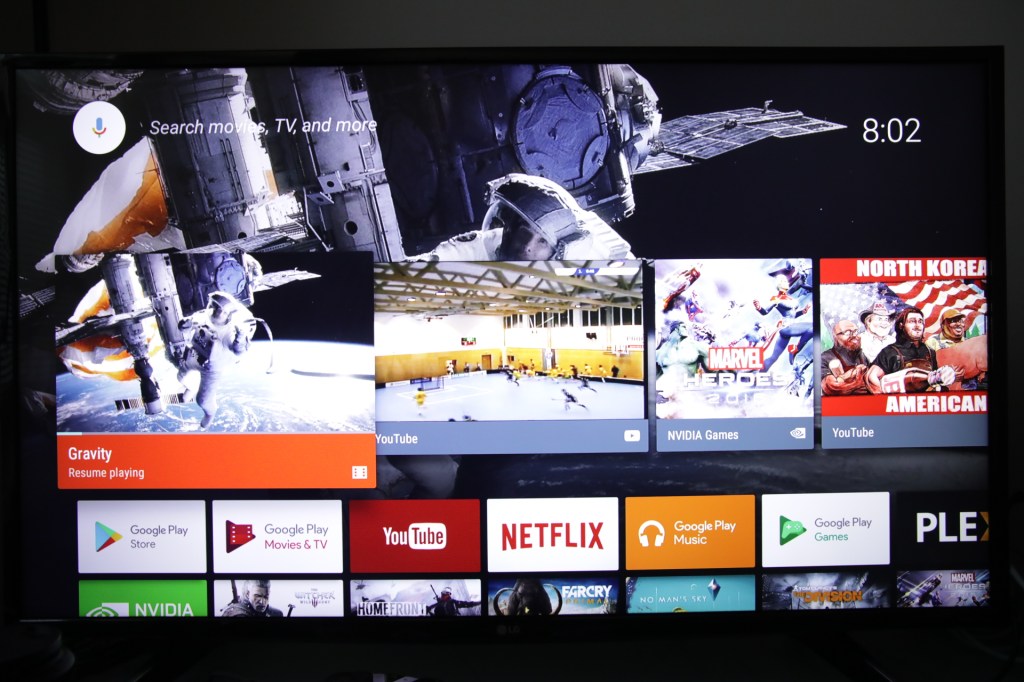
More generally enjoyable additions with this software update include the ability to adopt external storage as native, which means you can plug in external flash drives via the two USB ports on the back and have those act as fully accessible storage space for games and media. This means buying the entry-level $199 model makes a lot more sense; if you ever find you need more space, it’s a fairly easy and inexpensive upgrade to pick up a high-capacity 128GB flash drive, like the one included in the review kit sent by Nvidia for testing. That’s a big advantage over other streaming devices like Apple TV, too, which have hard limits on internal storage capacity.
Other improvements with the software update include a built-in Amazon Video app which allows you to stream content, and access Prime Video if you’re a member. This also provides access to 4K HDR Prime video content, which is a significant upgrade for those who have the requisite TV or display hardware.
Android TV still also offers a wealth of media apps from the Play Store, meaning you’ll likely be able to find what you’re looking for in a streaming service provider. If you haven’t looked at Android TV since its launch, there’s a lot on offer now, and cord cutters are unlikely to feel a content pinch.

Voice control and cross-service search means you can press the mic button on your controller and use voice queries to find content across Google Play Movies, Hulu, YouTube, Plex and more, you can search once and find anywhere – even in your existing media library via Plex, which is again not something you’ll find with Apple TV.
Gaming grows up
On the new Nvidia Shield, the company has changed the way it serves up games with an eye to creating a device that’s truly capable of replacing your home consoles and gaming PCs. It does this with changes and improvements to both GameStream the service Nvidia offers to stream games locally from your Nvidia-powered gaming PCs, and GeForce Now, the $7.99 per month subscription game streaming service that runs titles on Nvidia’s own servers but lets you play them as if they were being run locally.

The updates to GameStream mean you can now stream at up to 4K HDR resolution, providing the game supports both, and you’ll also get haptic feedback to the new controller from the game. It is indeed a much-improved experience, and one that basically means your gaming PC can follow you around the house wherever you happen to have a display and the desire to play.
GeForce Now’s upgrades, however, are the really big deal here. The new backed means that games are running on servers with Pascal-powered graphics output, with either GTX 1070 or 1080 GPU power behind them. The quality is amazing, and combined with a 4K display, will beat just about anything you can get from your home console, as I verified playing titles like The Witcher 3 and Homefront, as well as The Division and Far Cry Primal, titles now available through Nvidia’s new day-and-date release partnership with Ubisoft to put all their games on GeForce Now.
I tested GeForce Now in a variety of conditions, using both wired and wireless connections. A wired Ethernet connection direct to my home modem worked best, with a connection that effectively gets about 6 Mbps consistently at max speeds. Using this set up, I could not tell that I was playing the game remotely. With a wireless connection, there were some tiny hiccups, but the experience was still very playable, and graphics still exceeded what I can get out of PS4 and Xbox One locally.

Brand new games still cost a lot (what you’d expect to pay for new releases), on top of the GeForce Now subscription, but the subscription comes with a decent back catalog included, and you don’t need to buy or maintain expensive PC equipment. It’s probably the defining factor of why you’d want a Shield instead of anything else right now, and it’s a powerful motivator for anyone interested in gaming – and even some who aren’t. My dad, who hasn’t played a video game since Super Mario Bros. 3 on original Nintendo, got caught up in Far Cry Primal and now is considering a shield for his next streaming device.
Home hub
A lot of what the Shield brings to the table is still in hibernation – Nvidia has teamed up with both Google Assistant and SmartThings to turn the console into a full-fledged Amazon Echo competitor. The SmartThings integration will let users turn it into a smart home control hub for an additional $25 when it arrives, providing control over connected lights, appliances and more. The Assistant integration, also coming later on, will enable the ambient microphone in the Shield controller and let you use “Ok Google” commands to control smart home, check weather and more.

Nvidia’s also bringing something called the Nvidia Spot to market later on, which are plug-in microphones you can spread across your house to issue voice commands to your Shield and Assistant from wherever you happen to be. These connect over Wi-Fi and will retail for around $50 apiece.
The fact that these features aren’t yet available is a bit of a problem, but not as much as you might think. Nvidia’s pricing for the Shield is the same as it has been, starting at $199, and there are other improvements beyond the availability of Assistant. These latent feature promises just mean that the Shield’s value proposition will only increase over time. Think about it this way: it’s like buying an Apple TV now, and getting a Google Home pushed to your device later as a free over-the-air software update.
Made for 4K HDR fanatics
The other big reason to pick up a Shield over other streamers is its extensive 4K and HDR support. I actually picked up an LG 4K HDR LED television in part because I wanted to see what the Shield was truly capable of, in fact. The results were indeed impressive, and made one thing very clear: If you’re looking for 4K HDR content, this is the best streaming device you can get.
It includes Amazon Video 4K HDR streaming, including Prime shows like The Grand Tour, out of the box. Even Amazon’s own Fire TV devices don’t offer HDR from Amazon Prime. It also has 4K HDR for Netflix, 4K YouTube and 4K for Google Play Movies. Games streamed from your local PCs can access 4K resolution, too.
Basically if 4K HDR is a priority, this is the way to go. Nvidia takes graphics to heart, and it shows on the new Shield.
Bottom Line
Maybe the most impressive thing about the new Shield is that you don’t actually have to buy one to experience the new features; all of the software updates described above, including 4K HDR and streaming improvements, are available to existing Shield TV device owners via a software update just pushed out on Monday. If you pick up one of the new, redesigned Shield controllers for $59.99, which will be used for the ambient Google Assistant features later on, you’ve got the new console (minus the slim new design).

Nvidia says it left the Tegra X1 processor and other internal components the same because it was already 3x more powerful than the competition in areas where it counts, and the price maintenance means new Shield buyers are basically getting everything they would’ve gotten before, plus the Shield Remote in the box.
If you’re looking for a device that can replace as many of your home theater components as possible, the Shield TV is it. Support for live TV via USB tuners with the new Live Channels app means if you have an antenna, it’s also everything you need for getting and navigating traditional over-the-air TV, too. Some companies try to be everything and end up compromising all experiences, but Nvidia’s Shield TV is a true all-in-one that suits the needs of most people.
by james paslis | Jan 17, 2017 | PC, Uncategorized
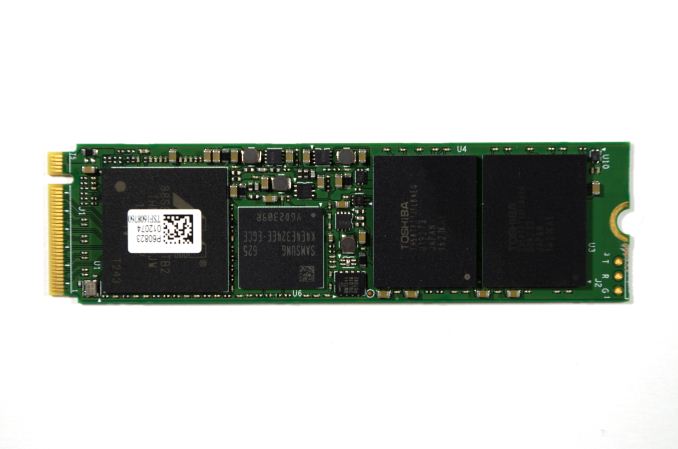
Plextor first entered the PCIe SSD market in 2014 with the M6e, based on Marvell’s 88SS9183 controller supporting PCIe 2.0 x2 but not NVMe. In 2015 they followed it up with the M6e Black Edition that simply provided an adapter card and heatsink for an unchanged M.2 module. They also announced then delayed and eventually cancelled the M7e, which was to use the Marvell 88SS9283 to support PCIe 2.0 x4 connectivity. This year, the M8Pe finally brings a true high-end NVMe SSD to Plextor’s product line.
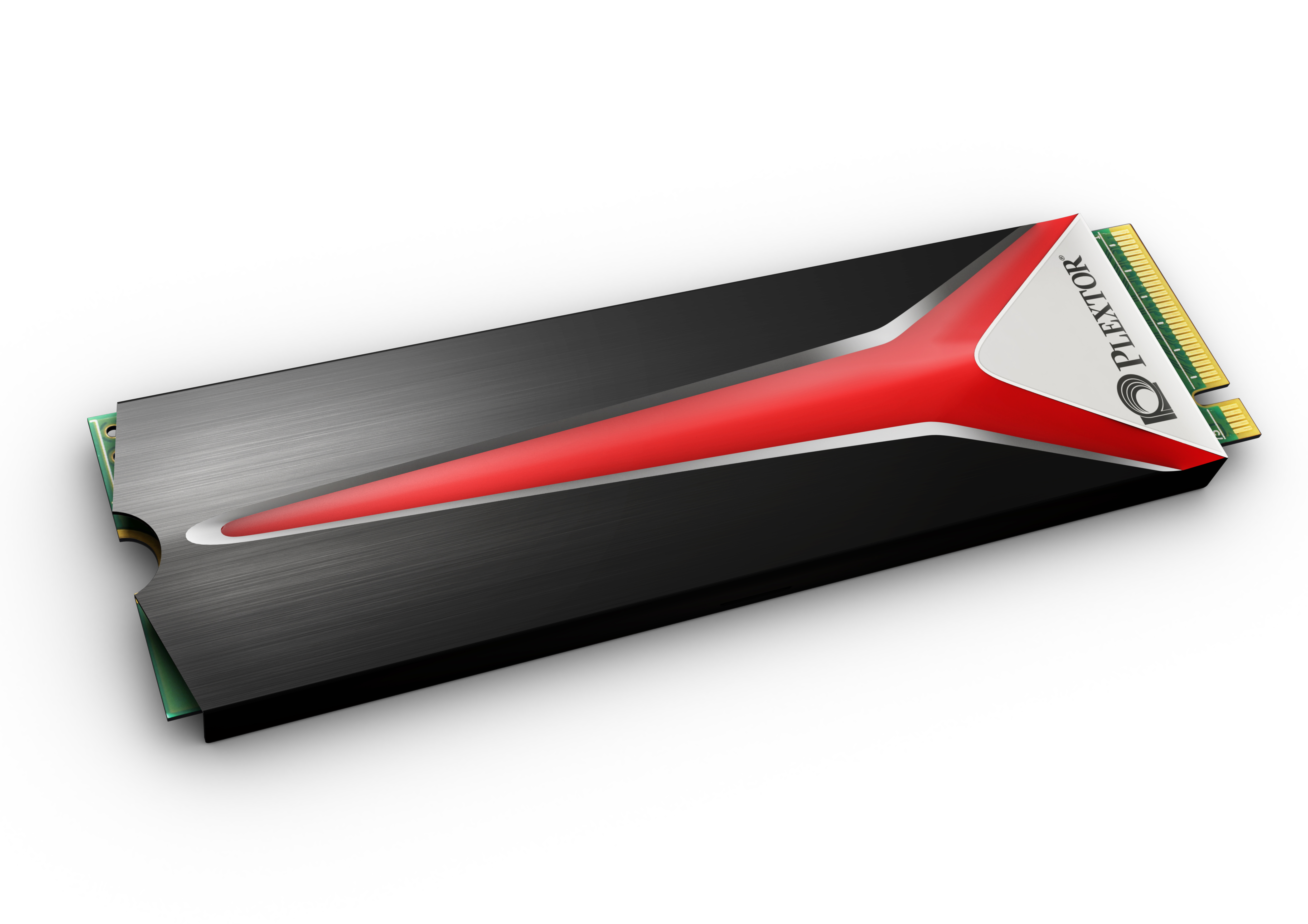
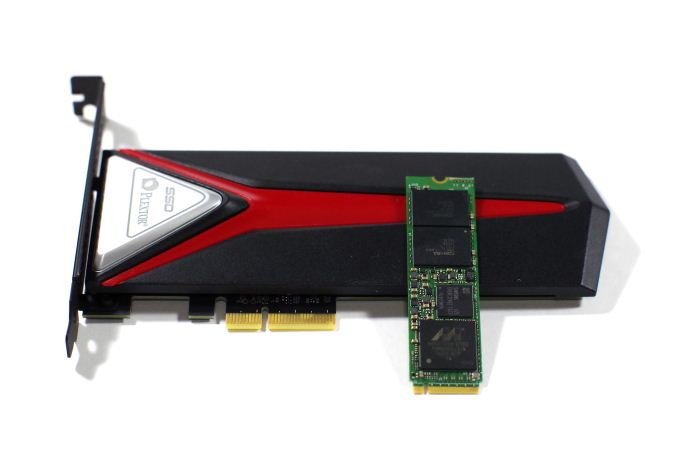
The M8Pe series is available in three different variants, all based on the same M.2 module. The M8PeGN is the simple bare M.2 2280 card. The M8PeG adds a heatspreader that covers the top and sides of the M.2 module. This heatspreader should help alleviate the thermal throttling that all PCIe M.2 SSDs suffer from during sustained heavy benchmarking, but the added thickness will prevent it from fitting in some laptops. Finally, the M8PeY is a half-height half-length PCIe x4 add-in card adapter to house the M.2 SSD under a hefty slab of metal acting as a heatsink, and red LED accent lighting is included along the top edge of the card and under the Plextor Logo on the heatsink.
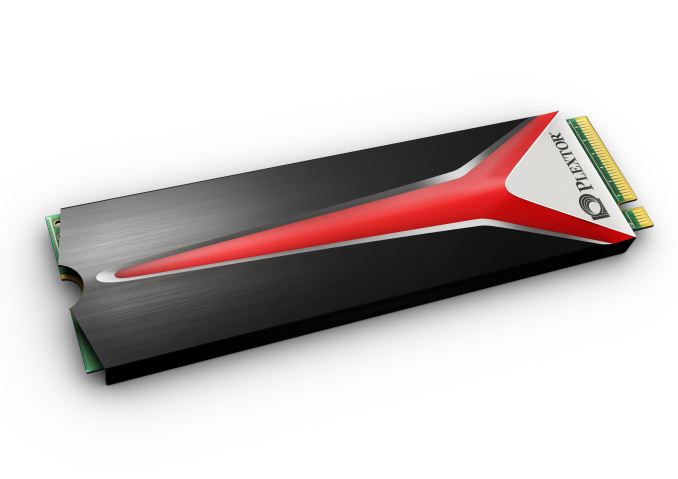
Plextor M8PeG with heatspreader
The Plextor M8Pe series shares its hardware platform with parent company Lite-On’s CX2 client SSD for the OEM market. The controller is Marvell’s 88SS1093 PCIe 3.0 NVMe controller codenamed “Eldora”, with 8 NAND channels and support for NVMe 1.1 and LDPC error correction. The controller is a triple core design fabricated on a 28nm process. The 88SS1093 was one of the first PCIe 3.0 NVMe SSD controllers available on the open market, and it was quickly adopted for entry-level enterprise PCIe SSDs by companies like Seagate and Micron. The Plextor M8Pe is the first consumer SSD to ship with this controller. As usual, Plextor/Lite-On wrote their own firmware for use with the Marvell controller instead of adopting a reference implementation.